ShoweEng IT
Use cases

Five productions,
block by block.

How real jobs are put together, and which packages they need.

01

Streaming a talk

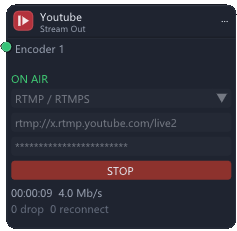
A conference, a lesson, a church service. One or two cameras, the speaker's slides, a name under the speaker, and the event goes out to YouTube or to a private SRT link — and to a file, in case the network gives up.

  • Cameras over NDI, SDI or USB
  • Slides from the speaker's laptop through an HDMI grabber
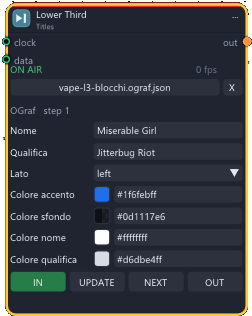
  • Lower thirds from a template, names from a spreadsheet
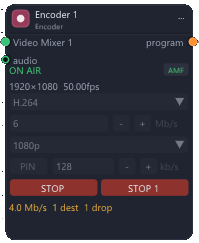
  • One encoder feeding the stream and the backup recording at the same time
Canvashow it is wired
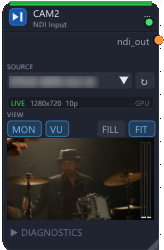
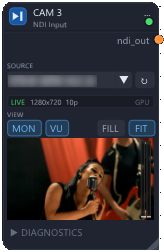
NDI Input: CAM 1–2
SlidesUSB In
nodi/usb-in.png
Titles: Speaker name
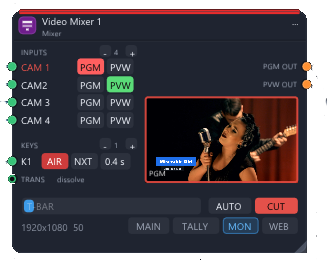
Video Mixer: Main Mix
Encoder: Encoder
Stream Out: YouTube / SRT
BackupVideo Recorder
nodi/video-recorder.png
Consolewhat the operator touches
02

A concert with ISO recording

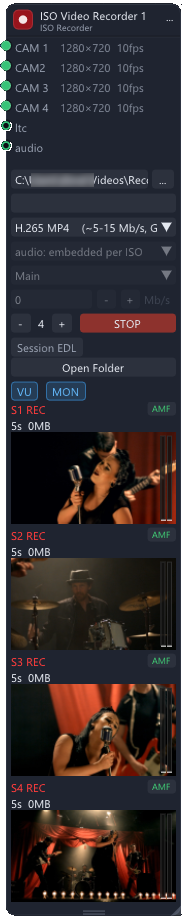
Four cameras, titles over the programme and a live stream, while every camera is recorded separately with the same timecode — the edit starts the next morning, not with a day of syncing.

  • Four cameras over NDI, one per mixer input
  • Lower thirds from an OGraf template, on the keyer
  • ISO recording of every camera, with the same timecode
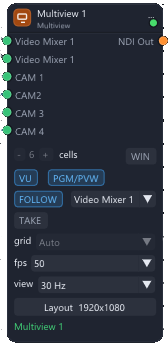
  • Multiview with tally, and one encoder for the stream
Canvashow it is wired
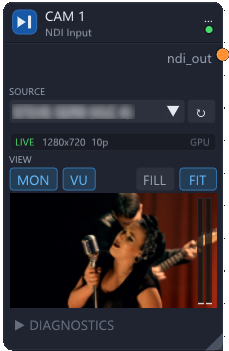
NDI Input: CAM 1
NDI Input: CAM 2
NDI Input: CAM 3
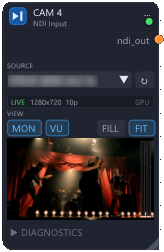
NDI Input: CAM 4
Titles: Lower third
Video Mixer: Main Mix
Multiview: Gallery wall
Encoder: Encoder
ISO Video Recorder: ISO
Stream Out: YouTube
Consolewhat the operator touches
03

A prompter on timecode

A concert or a television show where the artist reads the lyrics on a stage monitor. The text follows the LTC of the playback: if the song starts again, the lyrics start again, and nobody has to chase them with a knob.

  • Prompter Manager: the list of songs, in show order
  • Scripts imported from Word or CSV, with notes for the artist
  • Screen output to the stage monitor, or over NDI
  • Service voice that tells the operators what is coming
Canvashow it is wired
LTCTC Generator
nodi/timecode.png
SetlistPrompter Manager
nodi/prompter-manager.png
LyricsPrompter
nodi/prompter.png
Stage monitorScreen Out
nodi/screen-out.png
Prompter NDINDI Output
nodi/ndi-output.png
Consolewhat the operator touches
04

A programmed show

A television or theatre show where cuts, graphics, clips and slides are written down in advance on a timeline locked to the clock. Each camera operator sees on their display which shot comes next, and the director keeps a GO button for the moments that cannot be timed.

  • Show Manager: lanes for cuts, graphics, clips and slides
  • Cue Display for every camera operator
  • Show Caller: GO by hand, hold at the end of a segment
  • ATEM and Videohub driven from the same running order
Canvashow it is wired
LTCTC Generator
nodi/timecode.png
GOShow Caller
nodi/show-caller.png
Running orderShow Manager
nodi/show-manager.png
ATEMATEM
nodi/atem.png
Camera cuesCue Display
nodi/cue-display.png
Titles: Graphics
Consolewhat the operator touches
05

The meeting room

A boardroom or a conference hall run from a tablet. One button sets the room: projector on, screens on the right input, microphones open. The camera turns to whoever speaks, the far end of the call hears no echo, and a guest's laptop is on screen as soon as it is plugged in.

  • Touch panel in the browser, no app to install
  • Projectors and displays over PJLink, LG and Sony protocols
  • Speaker follow from the Audio-Technica microphone mixer
  • Echo cancelling and a Magewell as the webcam of the call
Canvashow it is wired
Room scenesScenes
nodi/scenes.png
ProjectorProjector (PJLink)
nodi/pjlink.png
ScreensDisplay
nodi/display.png
MicrophonesAudio mixer (ATDM)
nodi/atdm.png
Follow speakerSpeaker Follow
nodi/speaker-follow.png
Room cameraCamera Control
nodi/camera-control.png
Consolewhat the operator touches
Get in touch

Tell us about the show you are building.

Write and describe your productions: how many cameras, what goes out, who is in the room. We will tell you which packages you need, and send you the demo copy to try it on your own rig.

info@showeeng.com